Multicolor divider line

12-03-2024

What to do with Vanished Fingerprint on your Google Pixel after Screen Replacement?

What to do with Vanished Fingerprint on your Google Pixel after Screen Replacement?

A common problem that occurs with Google Pixel smartphones is the failure of the fingerprint scanner after replacing the screen. In this blog, we share effective solutions to address this problem so that your customer can continue to use their phone effortlessly.


Start by Checking the Flex Cable

Make sure the fingerprint scanner flex cable is correctly connected to the motherboard and that it is not damaged. This is important to check because it could be causing the problem. If this is not the case, you have an idea where the possible problem could lie. If the cable does connect properly to the motherboard, it is likely that the fingerprint scanner needs to be recalibrated. Below are the steps to do this:


The Step-by-Step Calibration of the Fingerprint Scanner:

(Note: These steps only apply to the Google Pixel 6 and newer models.)


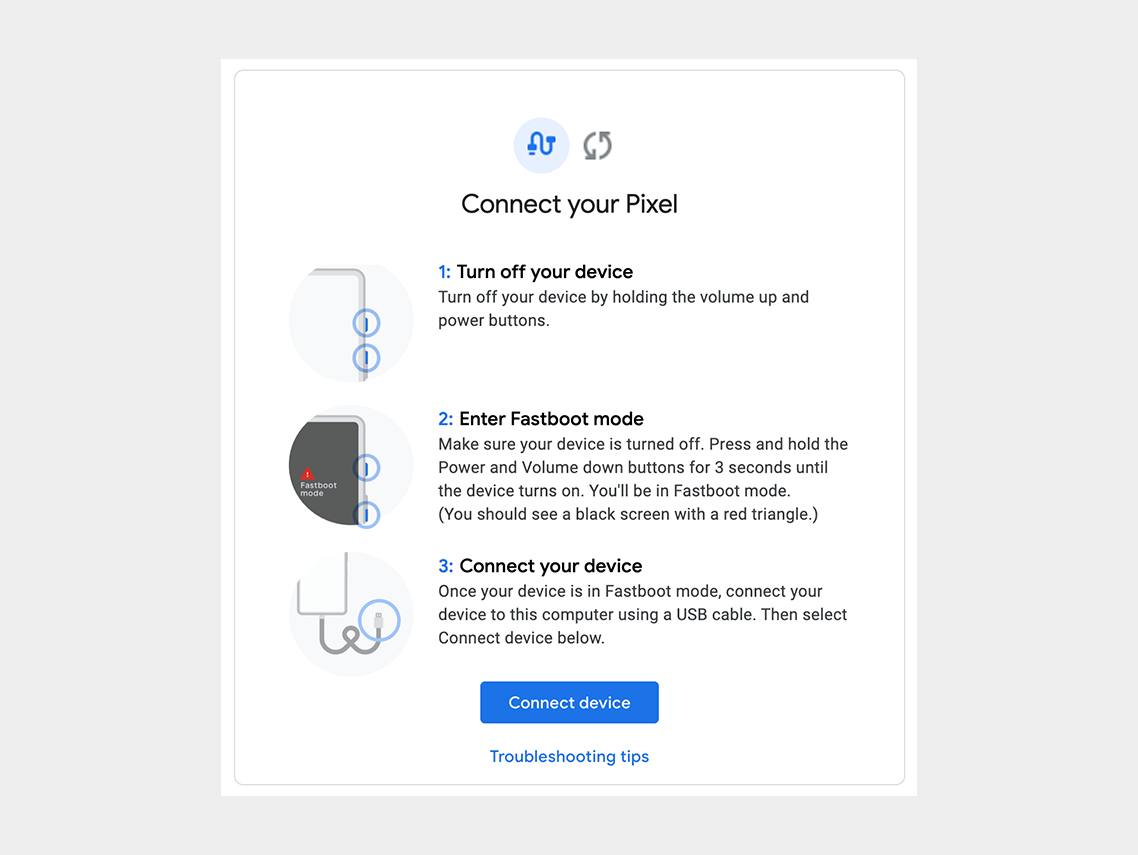
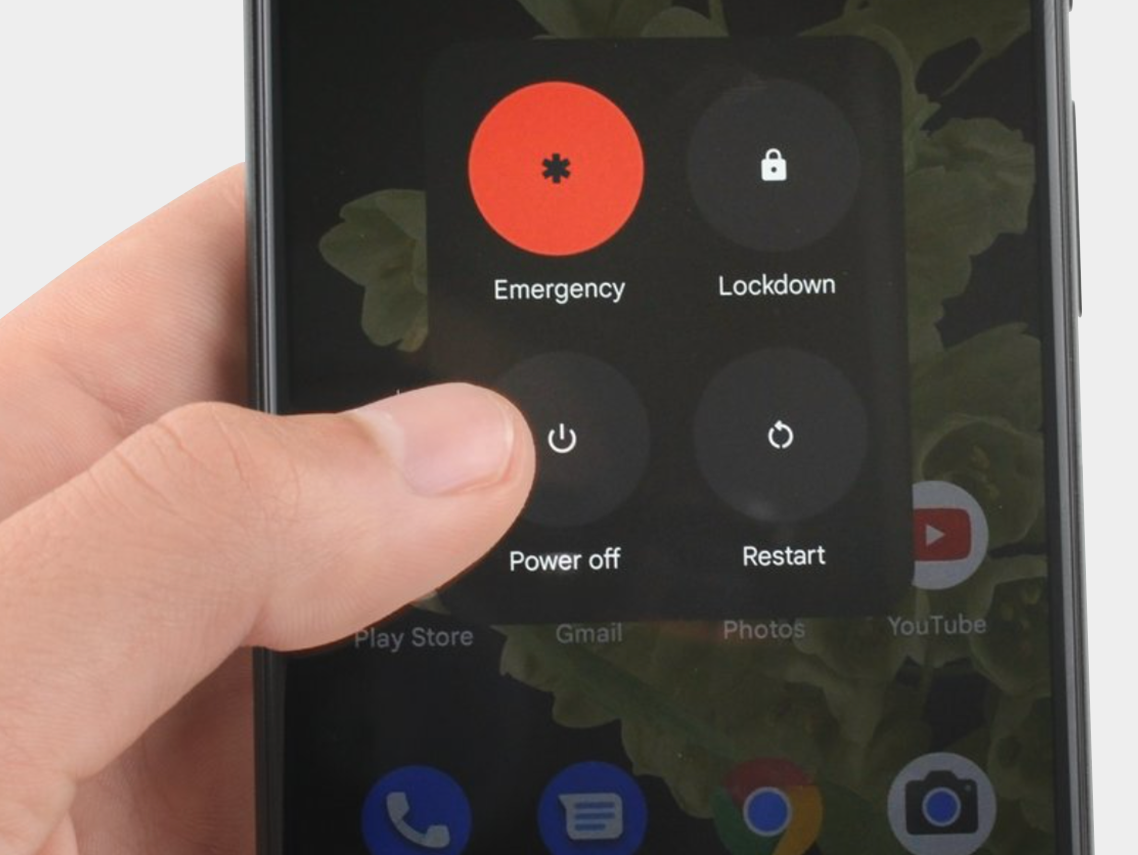
Step 1: Turn off the cell phone.

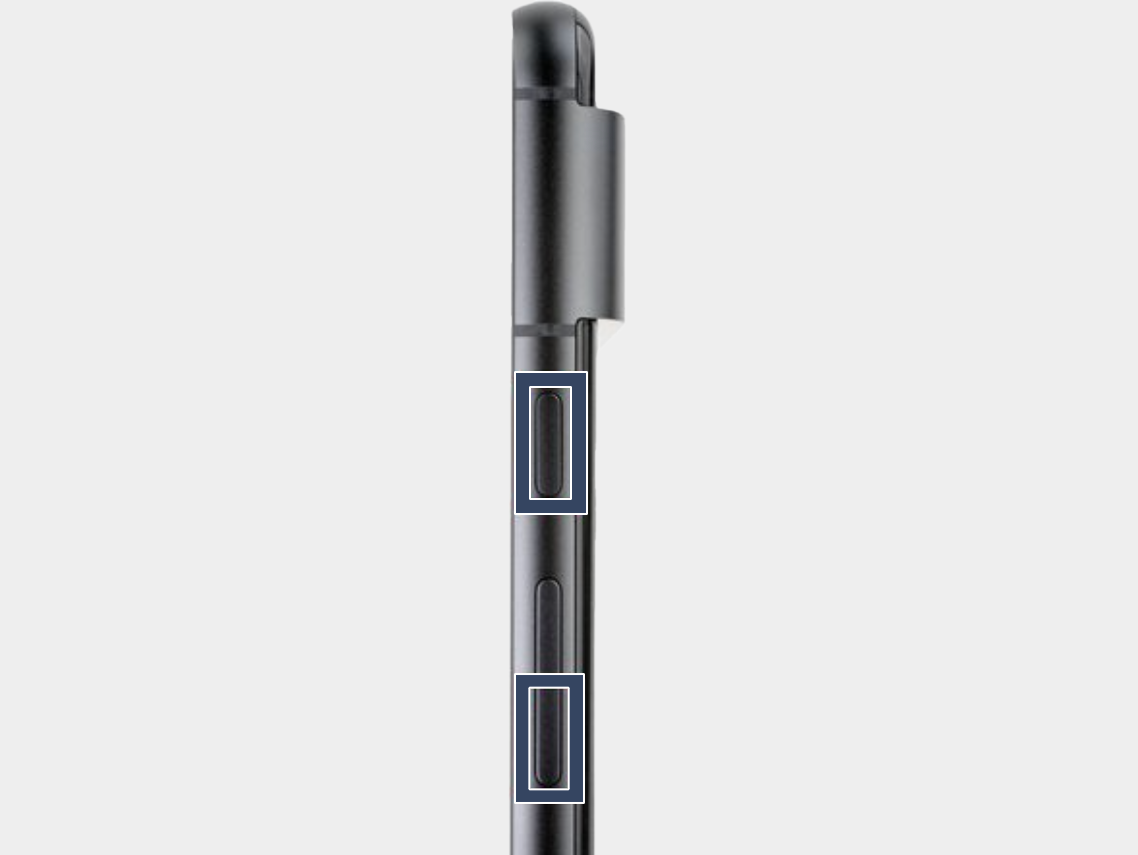
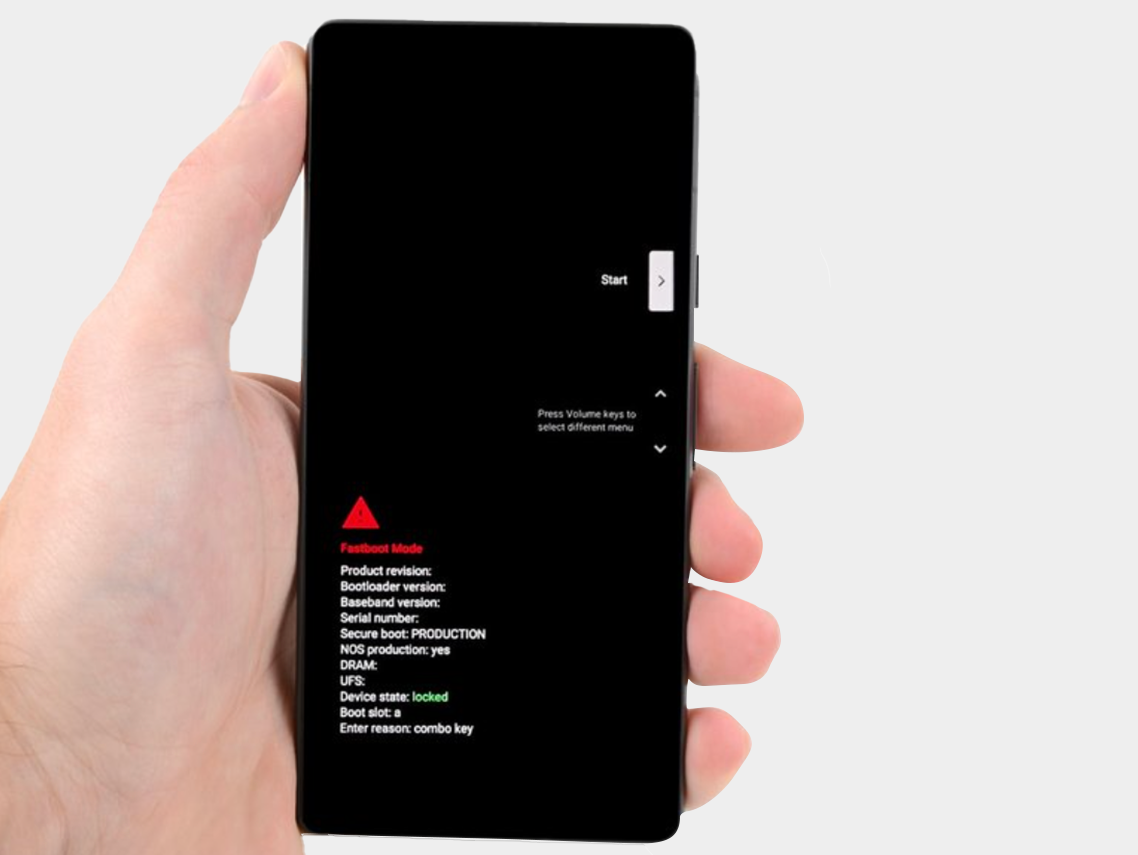
Step 2: Press the power button and volume down button for three seconds to enter the quick boot mode.
-


Step 3: Connect the phone to the computer.

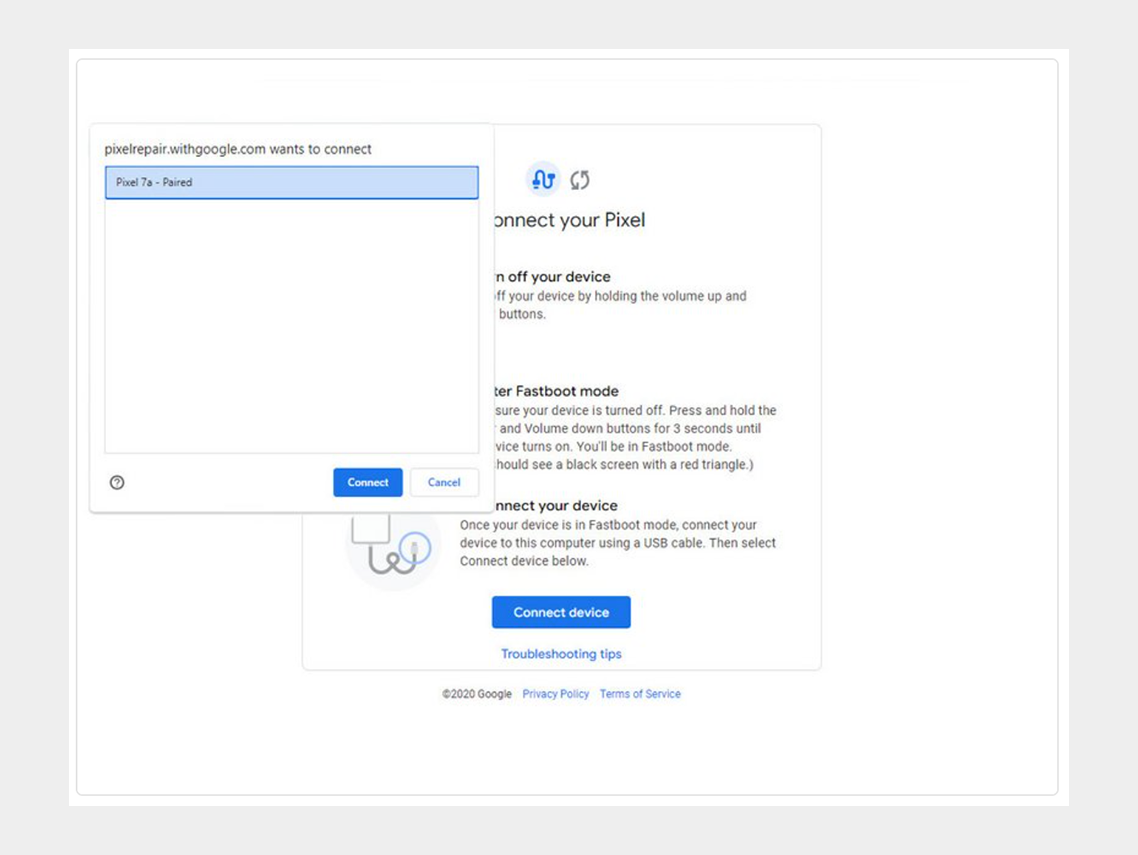
Step 4: Go to the calibration software and click on "Connect Device". Select the appropriate device.
-


If the device is not recognized, check the following:


  • Make sure Chrome has access to use USB devices. Go to Settings > Privacy and security > Site settings > Permissions > Additional permissions > USB devices.
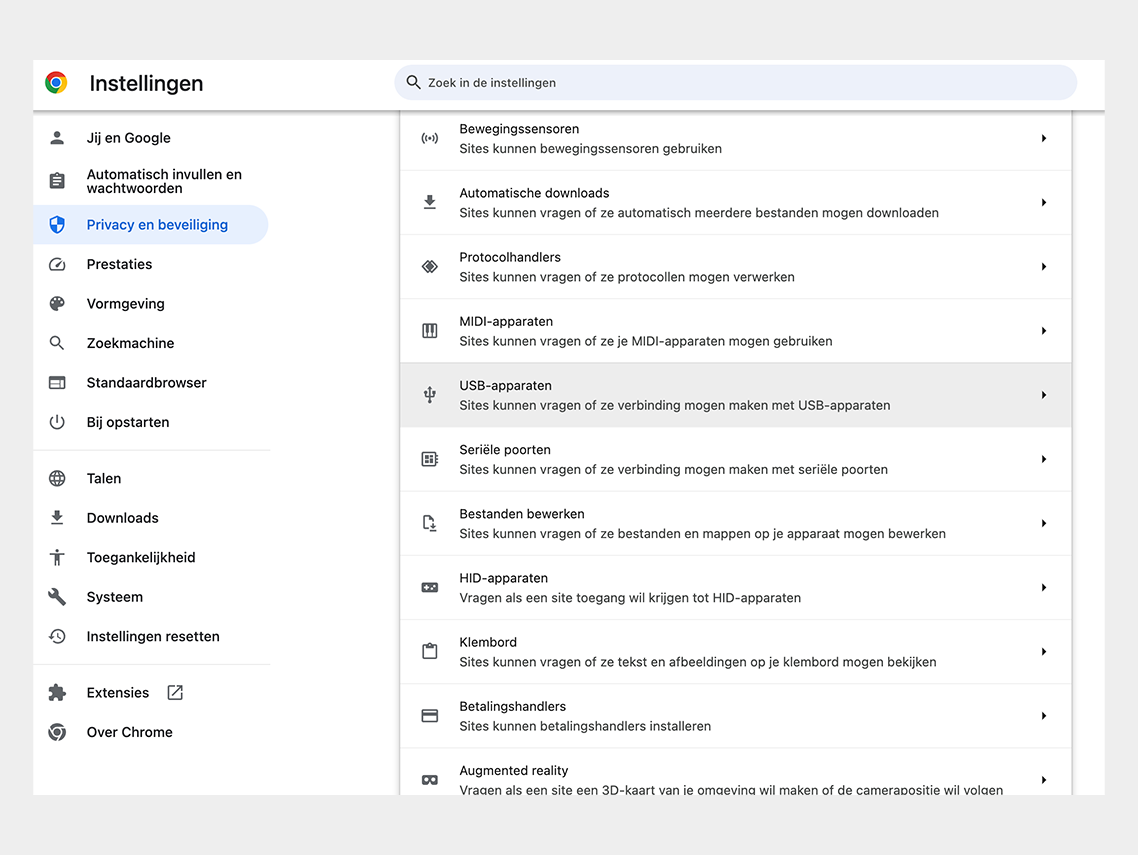

Google Chrome permission


  • Disconnect and reconnect the USB cable. Then try to connect again.
  • Try a different USB cable.
  • For Windows users: Make sure you have downloaded and installed the Google USB driver. Here is the link for the driver.  Follow the steps below:
  • 1. Connect the Android device to your computer's USB port.
  • 2. Open Computer Manager from Windows Explorer.
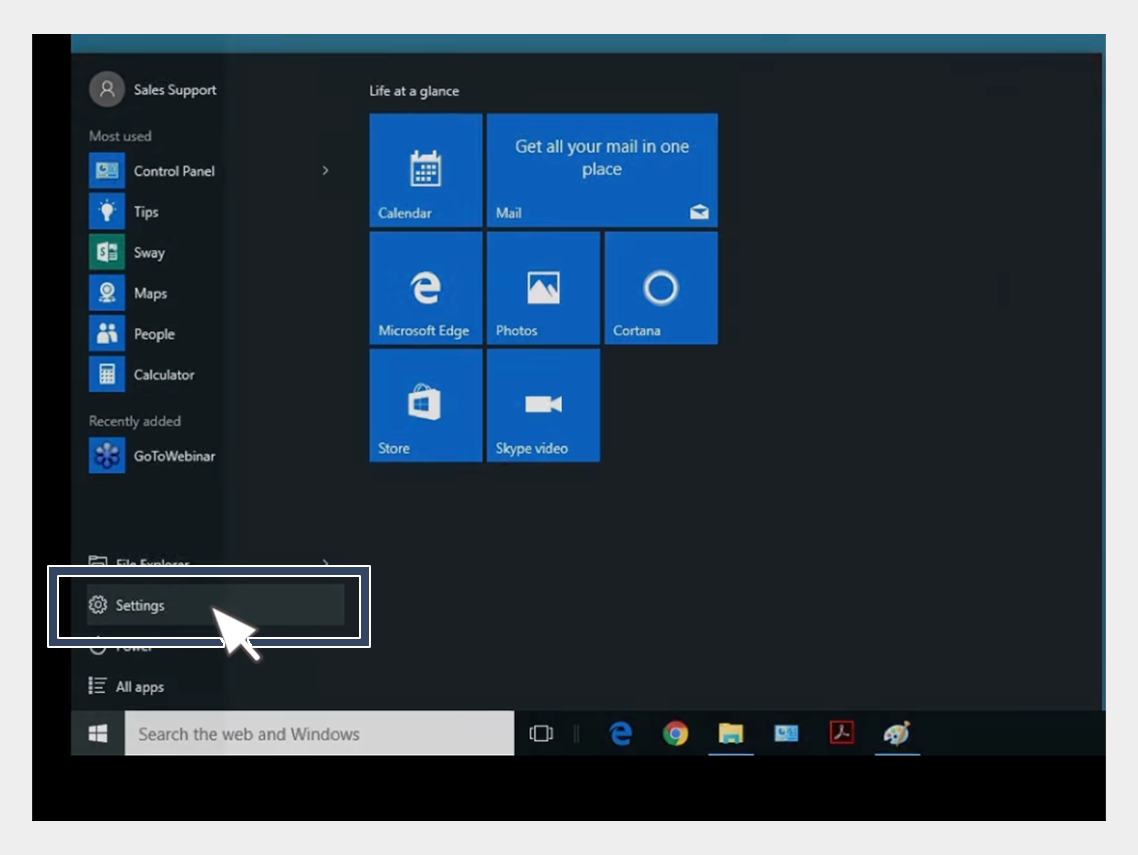

USB-driver installation


3. In the left pane of Computer Management, select Device Manager.
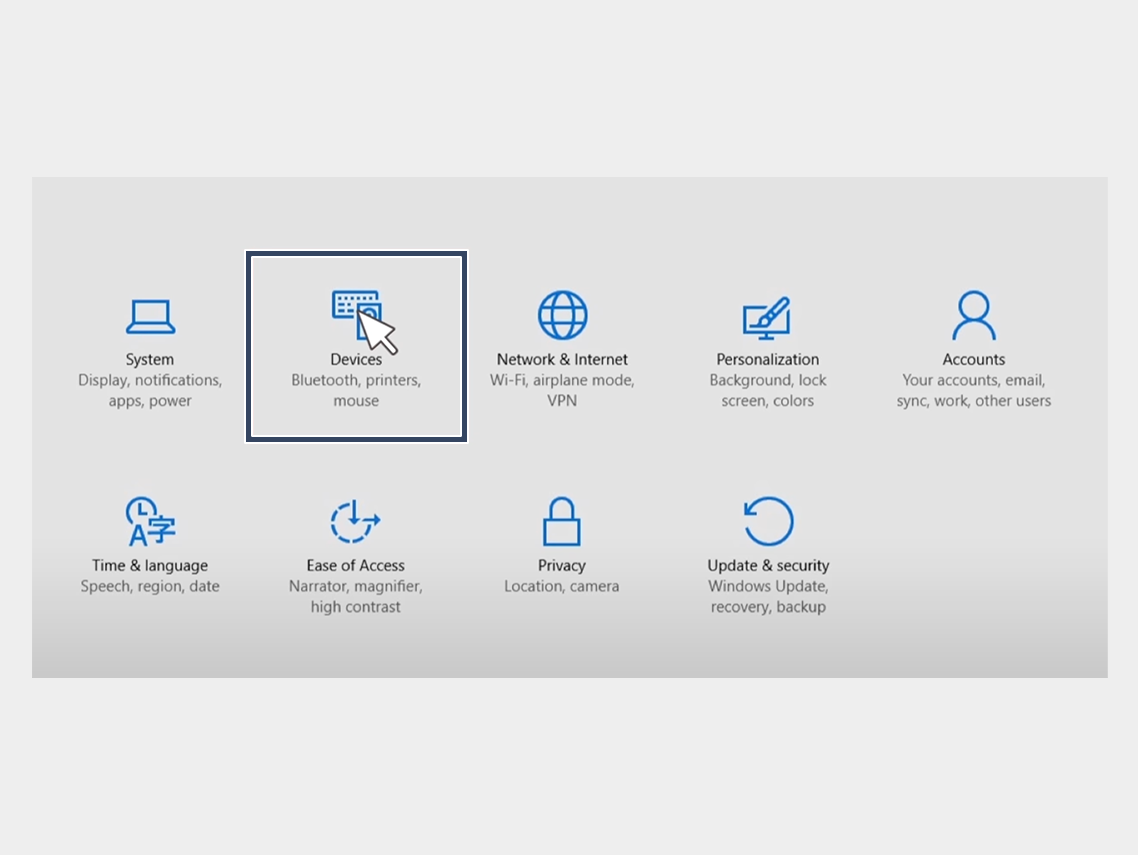

USB-driver installation


4. In the right pane of Device Manager, find and expand Portable Devices or Other Devices, depending on what you see.


5. Right-click on the name of the device you connected, then select Update Driver.
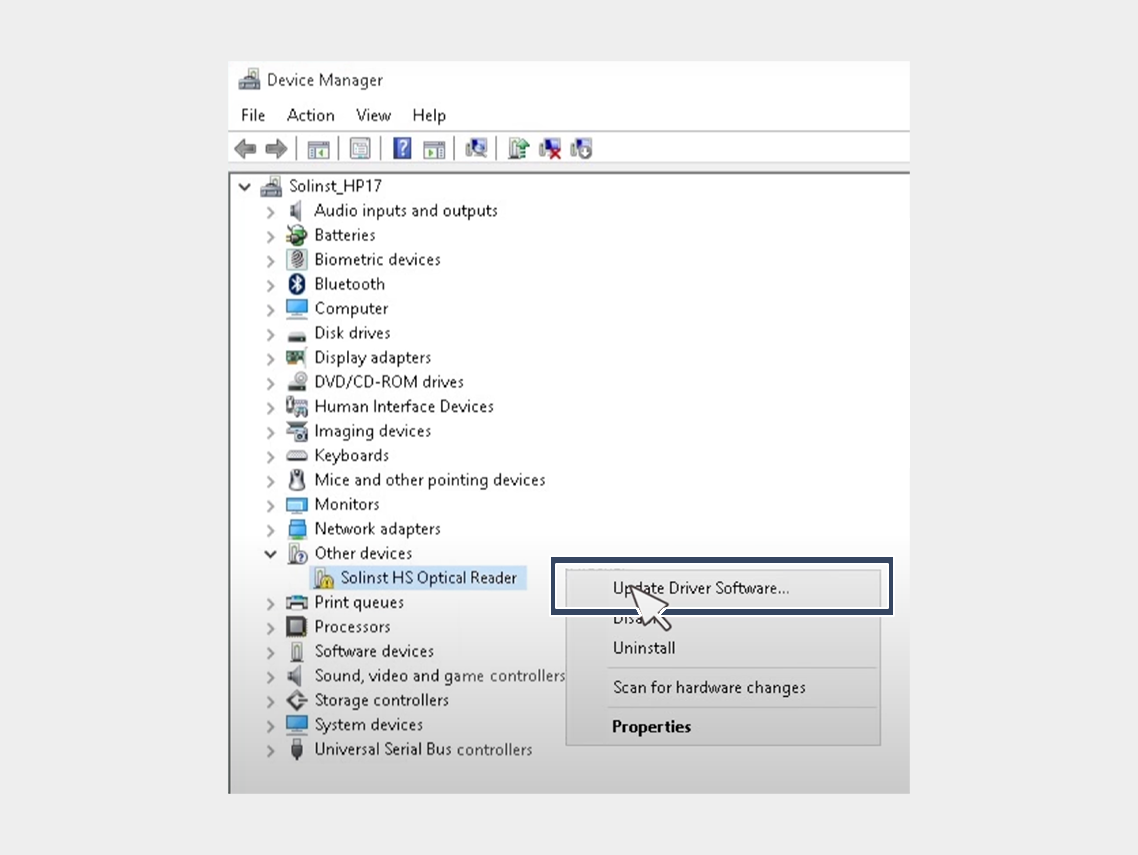

USB-driver installation


6. In the Hardware Update Wizard, choose Browse for driver software on my computer and click Next.
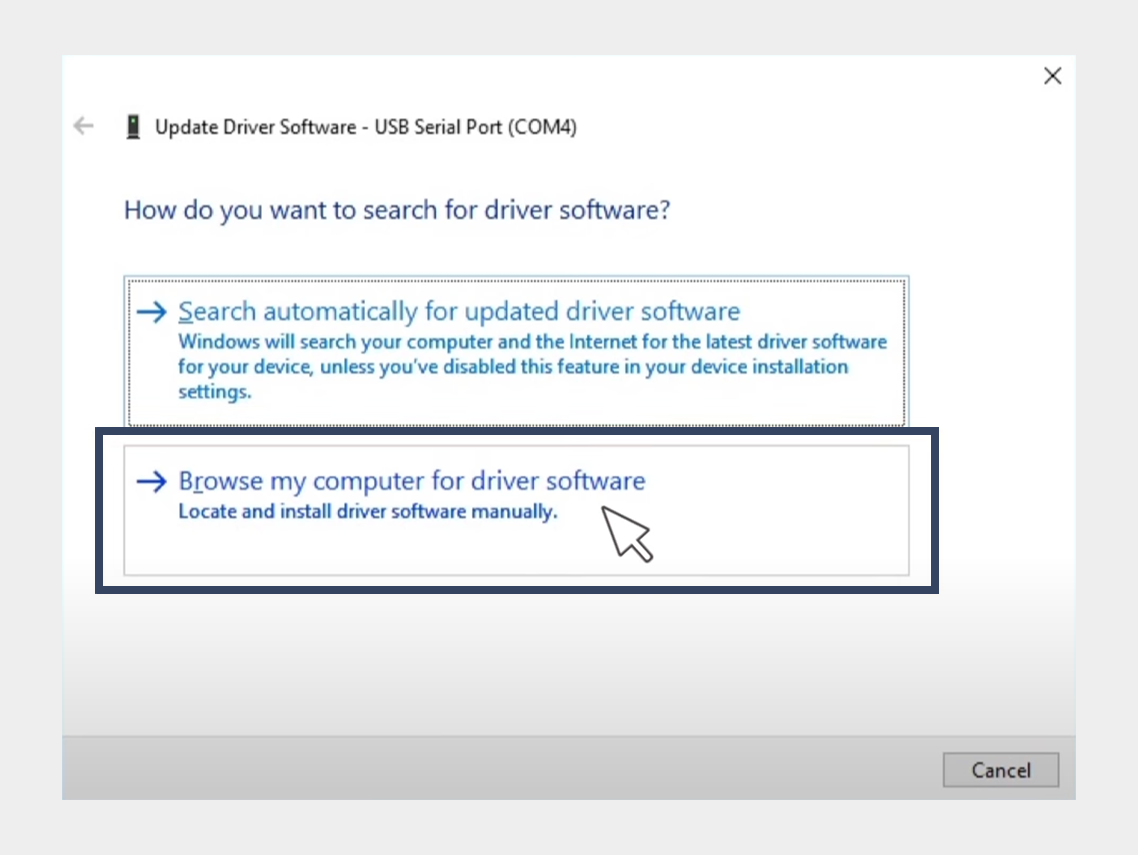

USB-driver installation


7. Click Browse, then locate the folder containing the USB driver. For example, the Google USB driver is located in android_sdk driver.
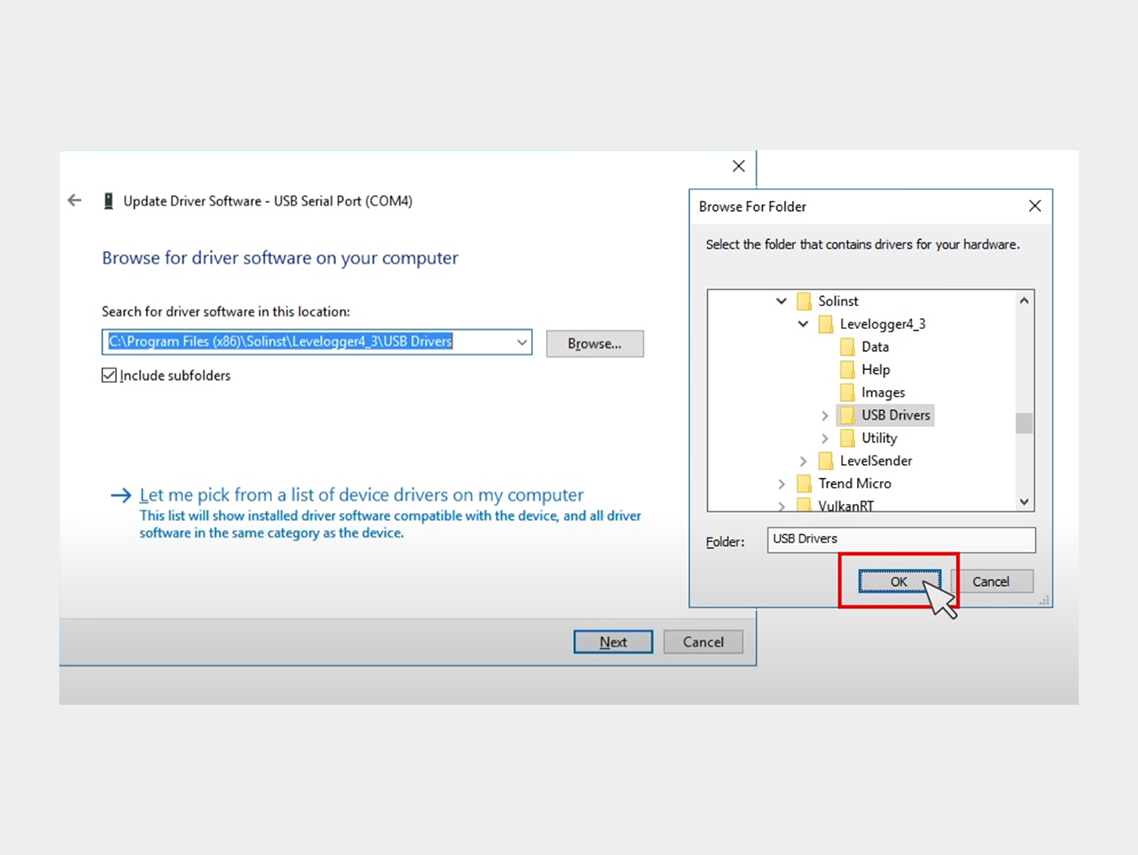

USB-driver installation


8. Click Next to install the driver.


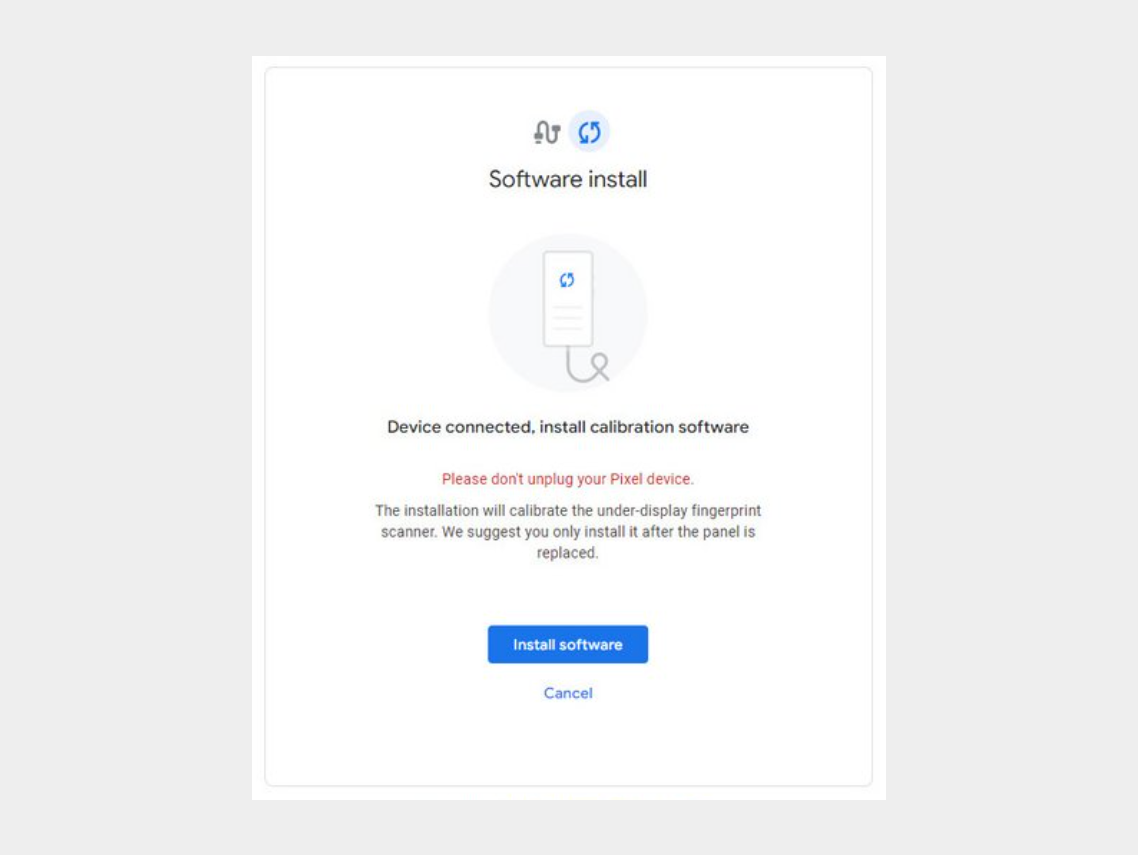
Step 5: Click on "Install Software."


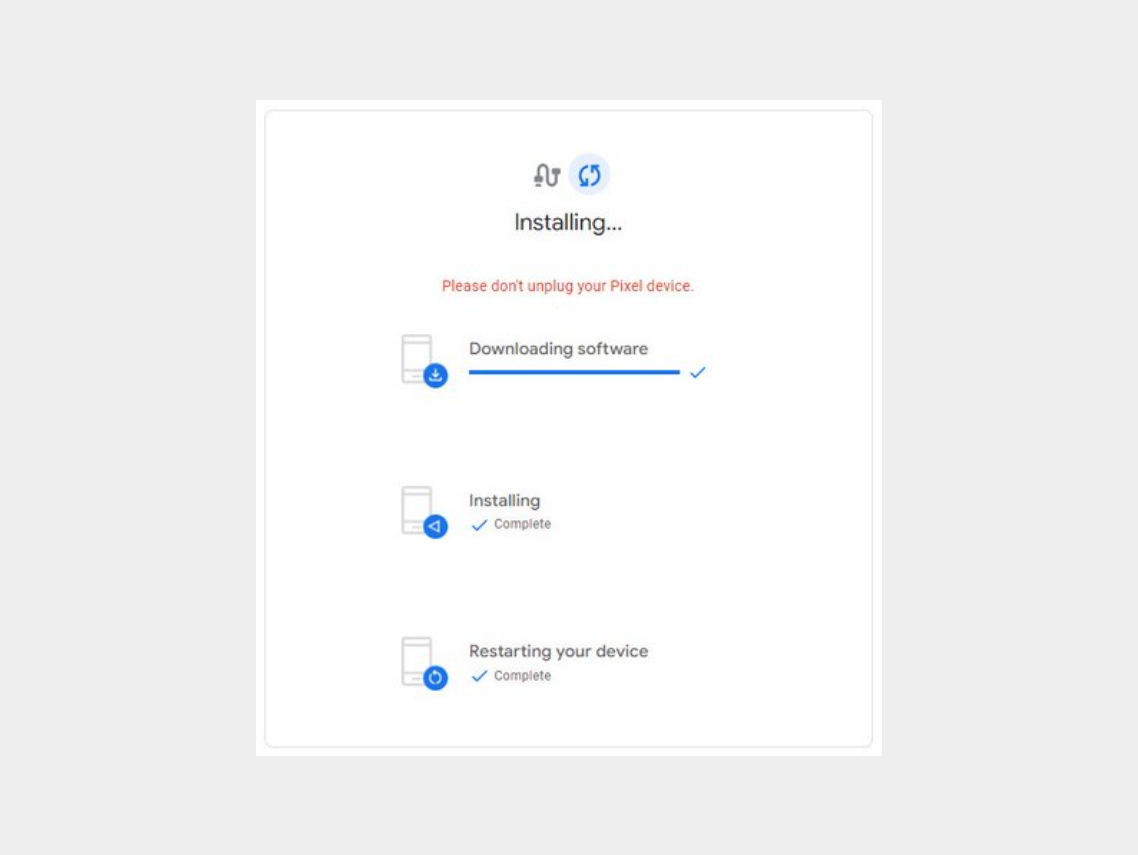
Step 6: Wait for the software to download.

-


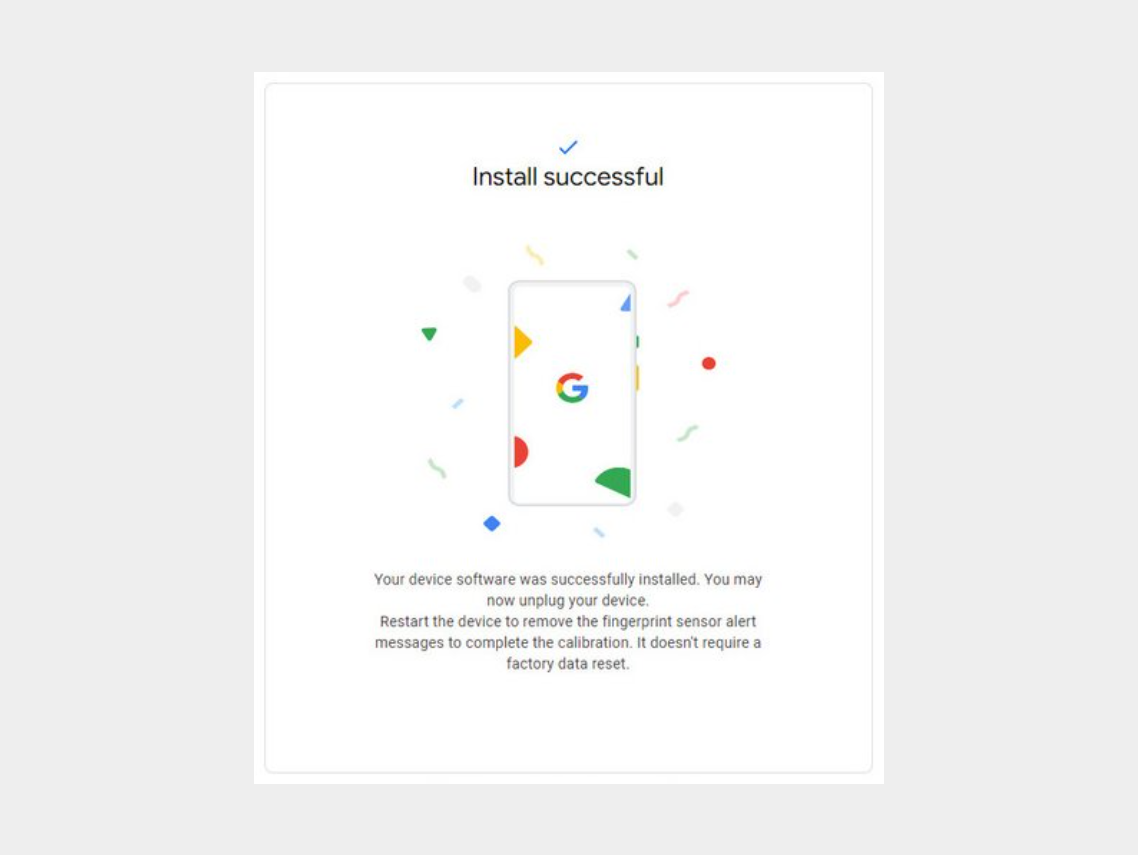
Step 7: Disconnect the phone from the computer and reboot it.


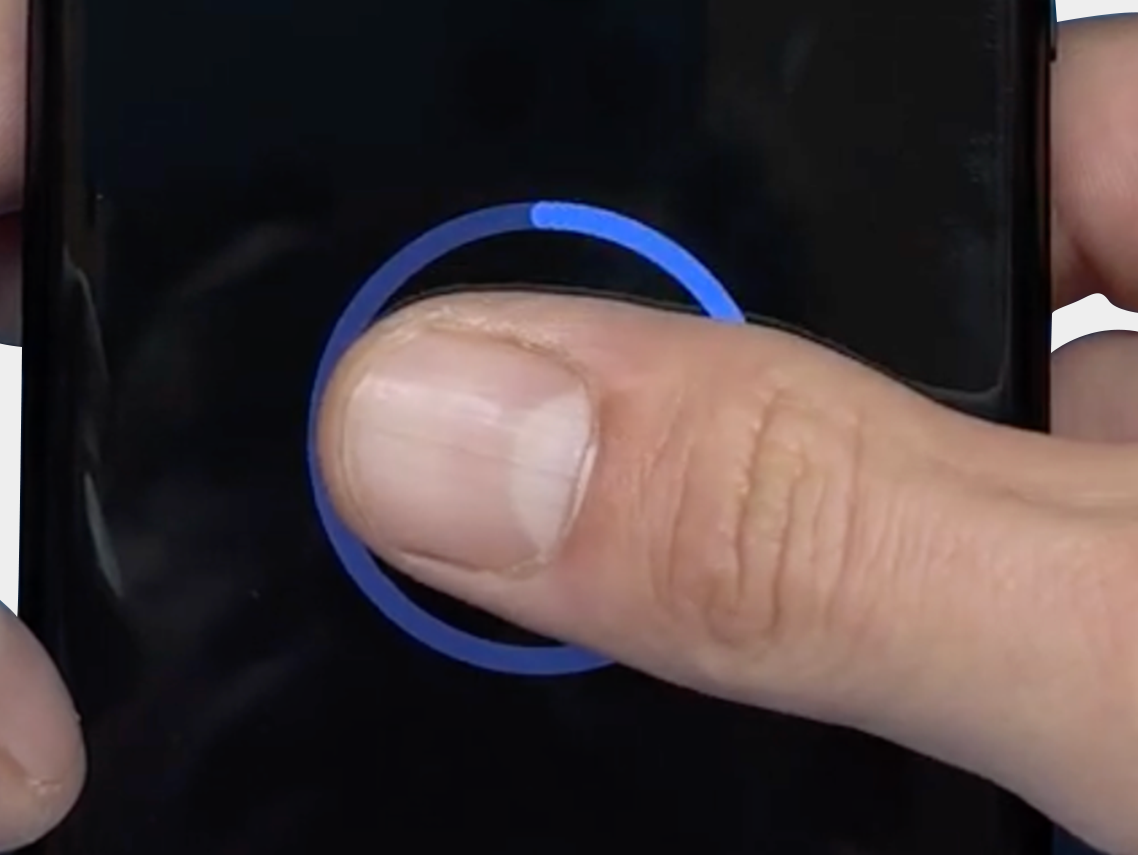
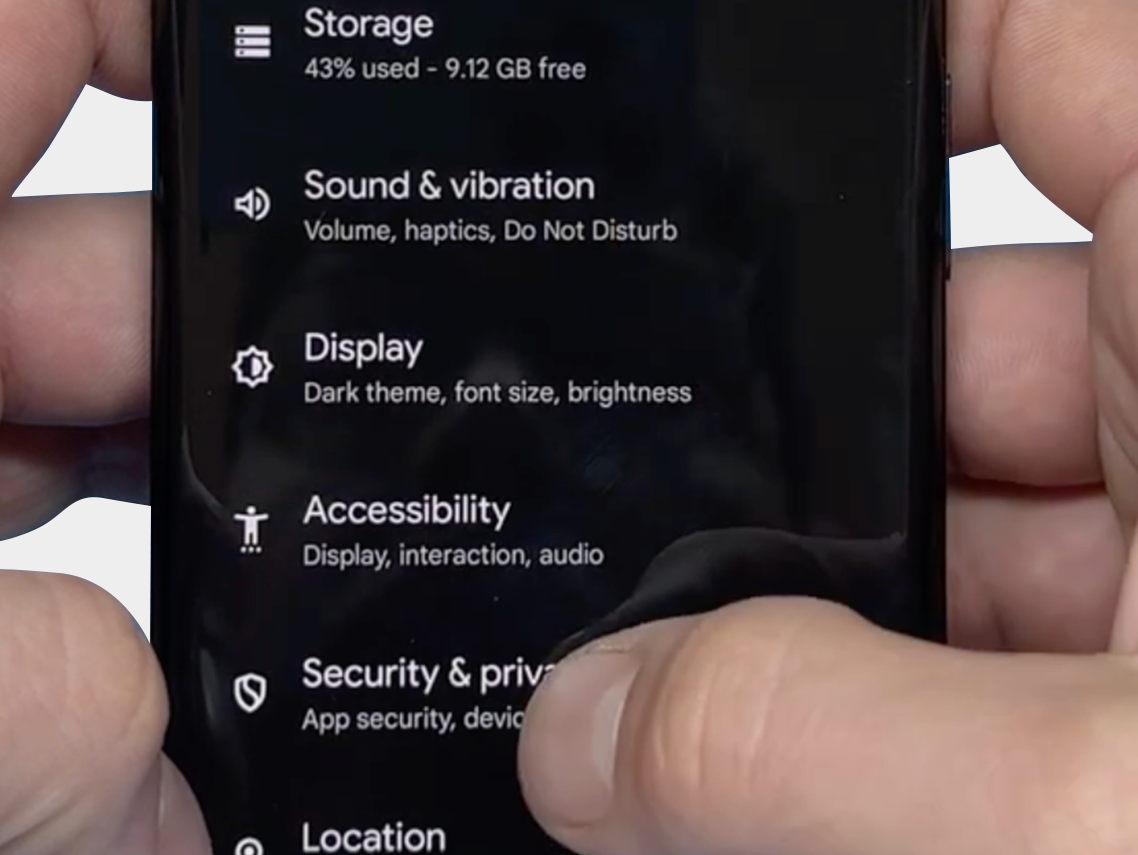
The final step: Verify that you can reset the fingerprint and that it now works via: "Security & Privacy" -> "Unlock Device" -> "FingerPrint Unlock" -> "Agree Terms"
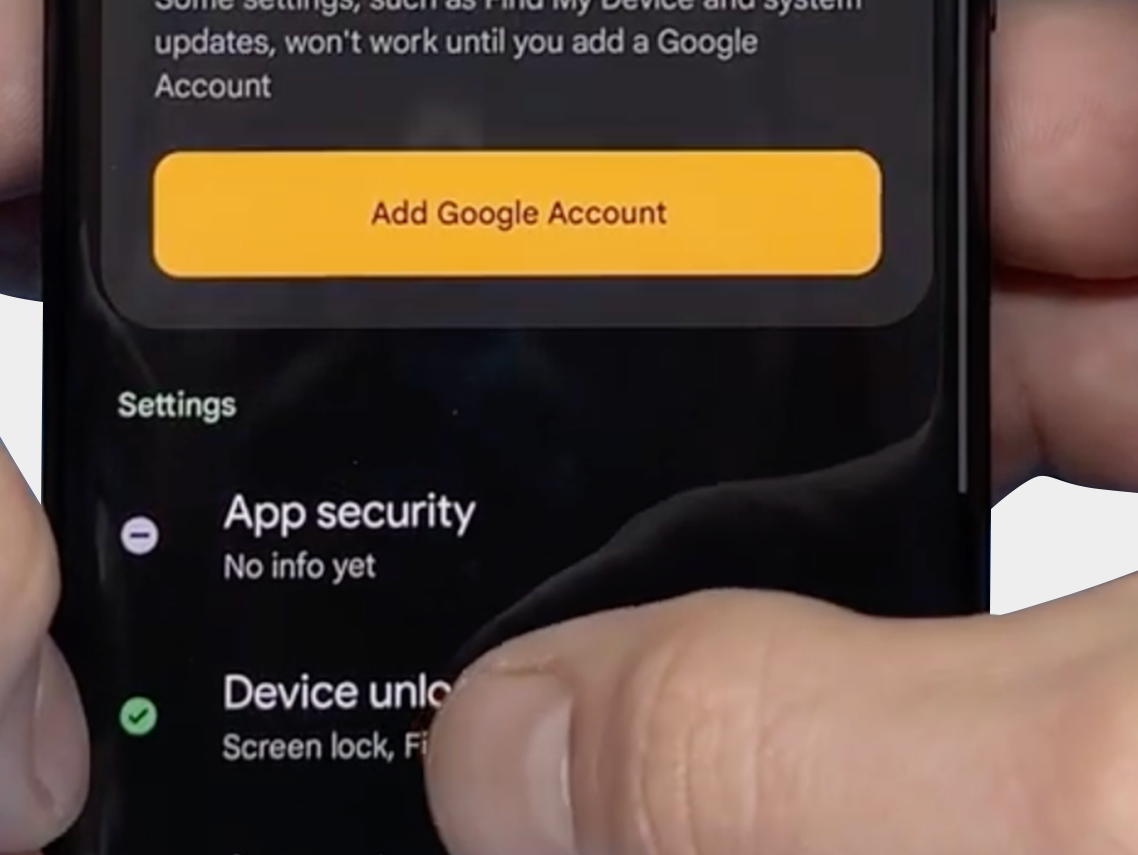
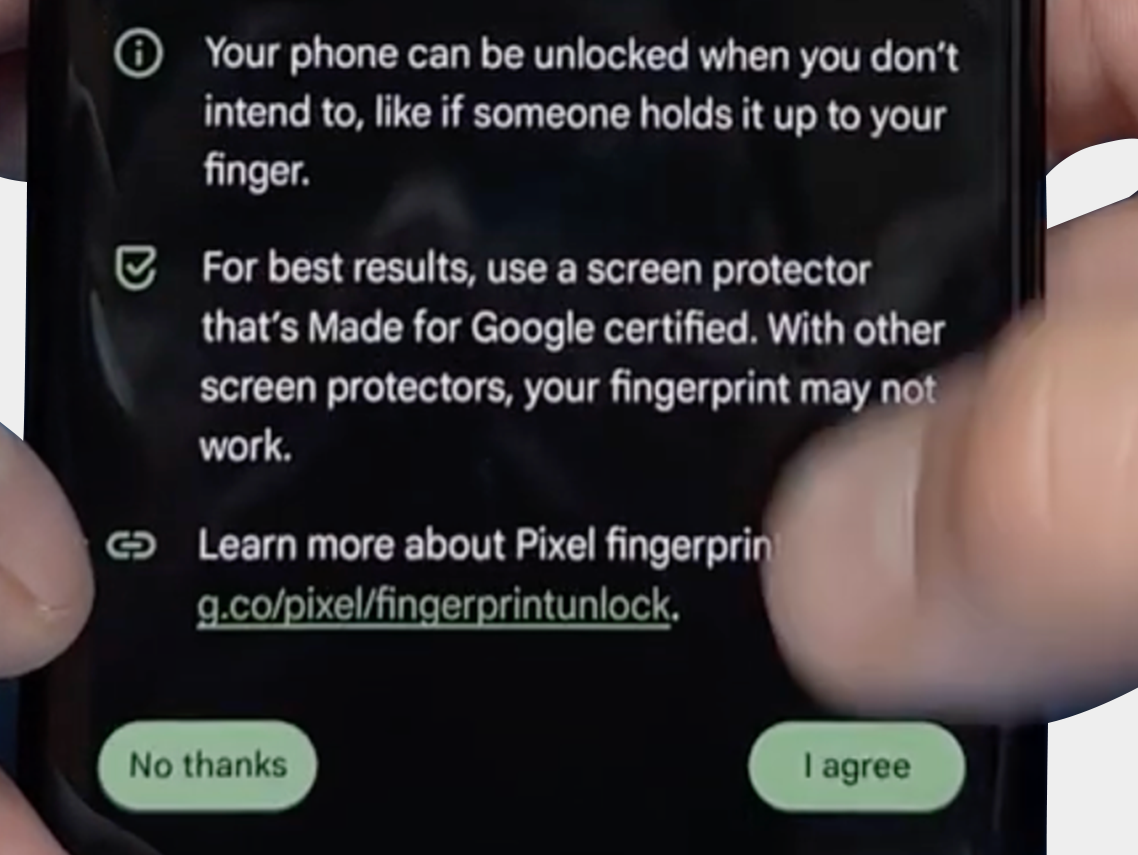
-
-
-


We hope the above tips and information have helped resolve the problem. However, should you still need assistance or have any questions, please do not hesitate to contact us. Our team is ready to further support you.

FDX LITE

FDX LITE

To offer our customers an affordable option, we introduce FDX Lite. These screens have an HD resolution and provide the best quality within this price segment. While we conduct strict quality controls, we have no influence on the production process. FDX Lite screens come with a factory warranty, but damage to the interior of the screen is not covered by the warranty.
Features FDX LITE
Pixel resolution High Definition (HD)
Refresh rate Fast response
Includes Camera holder, earpiece mesh and proximity bracket
Temperature Low and controlled
360° Polarized Supported
Oil resistant coating Supported
Anti-glare Supported
Front Glass Anti-dust and fingerprint oil
Inspection Tested before shipment
Warranty Covered
Service Pack
These parts are original and manufactured in a certified environment by the original manufacturer of the device.
Pulled
These parts are 100% authentic and undergo rigorous testing and inspection after being removed from an original pre-owned device.
Refurbished
These parts have been removed from an original pre-owned phone, but the front glass has been replaced with a glass equivalent to the original, while all other materials have remained authentic.
OEM-Equivalent
These parts are professionally assembled by a third party using equivalent components and materials to the original manufacturer.
FDX ULTRA
Soft OLED is a high-quality LTPS-OLED solution offering excellent value for money. Thanks to its flexible COP design, the display is thin, lightweight, and less prone to breakage, while delivering bright and vibrant visuals close to OEM-level quality. The touch response is fast and precise, and each batch is carefully tested for color, stability, and performance. This allows professional repair technicians to rely on consistent quality, high compatibility, and a dependable display that looks premium without the premium price tag.
FDX PRO
Hard OLED is an affordable OLED solution that combines bright, sharp image quality with strong price positioning. The rigid COF panel provides a solid construction that performs well in everyday use. Colors are vibrant, brightness is strong, and touch response remains accurate. Each batch is checked for stability, uniformity, and sensitivity, ensuring technicians can rely on consistent quality. Hard OLED is ideal for customers who want a competitive price without sacrificing reliable performance and visual clarity.
FDX ELITE
FDX Elite is our premium product, where we work closely with the manufacturer to optimize quality. We make improvements based on customer feedback and our own expertise. Due to our direct influence on the production process, we have full confidence in the quality. Therefore, we offer extensive warranty coverage on these screens: even damage inside the screen (which is normally not covered) is included. However, if damage is visible to the naked eye, whether inside or outside, the warranty becomes void. Our FDX Elite screen has an FHD+ resolution and will be the most expensive option due to its added value and extensive warranty. With this quality and service, we aim to provide a worry-free experience for our customers.
FDX PRIME
FDX Prime represents the standard in-cell quality, purchased directly from the manufacturer, just like other suppliers in the market. The choice of manufacturer depends on the quality of the production batch, and the products meet the highest in-cell quality standards in the market. FDX Prime screens have an FHD resolution and come with a regular factory warranty. This means that damage to the interior of the screen is not covered.
Checkmark Order before 19:30, shipped the same day
Checkmark Premium Quality
Checkmark 15,000+ products, directly from stock